Preview

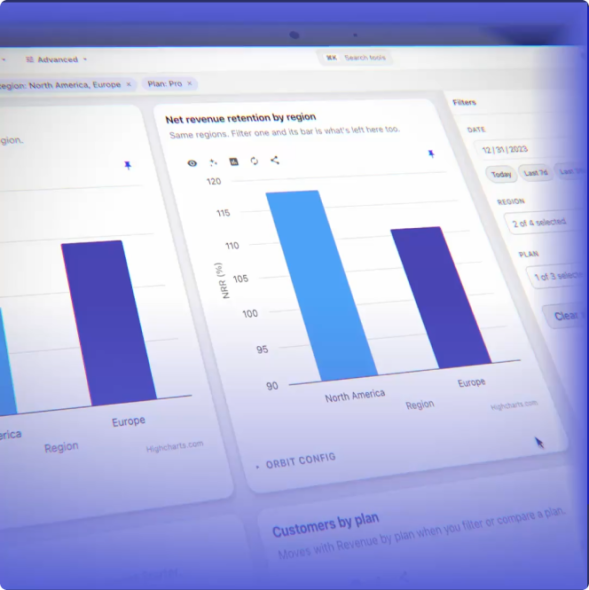
Turn any Highchart into a full
analytics workspace

Orbit is in preview. Try it with your own data and tell us what you think.

Heavy-duty analysis tools, right inside the chart

Insights

Your chart shows you what happened. Orbit Insights tells you what it means with a ready-to-share brief you can copy and pastes or use as a starting point for a deeper investigation.

Anomaly Detection

Use Orbit’s Anomaly Detection to flag spikes or drops between consecutive points, directly on the chart.

Forecast

Use Forecast to project trends forward using linear regression or moving averages. Fit scores per series tell you how much weight to put on each one.

One toolbar. A lot of tools.

Insights

AI

Surface the story in your data. Insights returns a ready-to-share brief covering what’s performing, what’s anomalous, what deserves a closer look.

Narrator

AI

Generate copy-paste-ready summaries in four tones: executive, technical, casual, and presentation-ready.

AI Assistant

AI

Chat directly with your chart. Ask what’s driving a trend, request a new series, change the chart type, or dig into a specific data point, all via natural language prompts.

Alt Visualization

AI

Have Orbit analyze your data structure and suggest alternative chart types, each with a brief explanation of how it would shift what the data emphasizes.

Anomaly Detection

Scan every series using three statistical methods to find outliers. Flagged points highlighted on the chart let you see exactly where the data behaves unexpectedly.

Forecast

Project trends forward using linear regression or moving averages. Fit scores per series tell you how much weight to put on each projection.

Correlations

Calculate the Pearson coefficient between every pair of series and see the results as labeled bars with plain-language strength ratings.

Summary Stats

Display key statistics per series: min, max, mean, median, standard deviation, and trend direction. No need to consult a spreadsheet. Now they’re just there.

Derived Series

Compute new series directly from your existing data and add them to the chart instantly. No spreadsheet detour. No data export.

Present

Build a structured slide deck from your chart in one click with key takeaways and stats laid out and ready to present alongside the visualization.

Filter & Focus

Toggle individual series on and off and adjust axis ranges to zero in on the data that matters or strip out the noise.

Data Grid

View your chart data as an interactive table powered by Highcharts Grid Pro.

Indicators

Apply Highcharts Stock technical indicators to any chart. Add one, layer several, or use them to validate what Forecast is already telling you.

Full Screen

Expand the chart to fill the screen and explore without distractions. Everything else steps aside.

Chart

Display your chart front and center, without the toolbar panel open so you can focus on your visualization.

Frequently Asked Questions

Orbit is currently in preview and free to explore. Sign up below to get access to the code and try it with your own Highcharts setup. We’re still working out what the full product looks like, and the feedback we get at this stage will help shape what Orbit becomes. Tell us what’s useful, what’s missing, and what you’d actually pay for.

Yes. Orbit works with any Highcharts chart. If you’re an existing Highcharts customer, you can start experimenting immediately once you have the code. New to Highcharts? You can download it free for evaluation and development purposes.

During the preview, the Orbit module is restricted to authorized domains. Sign up below and we’ll get you set up with access for your own environment.

The non-AI tools run entirely client-side meaning nothing leaves the browser. The AI-powered features (Insights, Narrator, AI Assistant, Alt. Visualization) send your chart configuration and data to the Orbit backend for processing. We collect anonymous, aggregated analytics on which tools are activated. No personal data, no chart content is stored.

Ready to try Orbit?

Sign up and we’ll send you your personal API credentials and everything you need to get started. Try it with your own Highcharts setup, poke around, and tell us what you think.

New to Highcharts?
You can download it free for evaluation.

Role* that closest resembles your responsibilities
Which Orbit features triggered your interest the most?