

So much of the data we deal with daily has a location-based element, whether it’s pinpointing where sales are happening, tracking environmental changes, or managing urban development projects. Geospatial data is critical in various industries, such as urban planning, environmental monitoring, and business analytics. However, this data is often complex and requires robust visualization tools to be useful. Simply put, without the right tools, it can be nearly impossible to derive meaningful insights from geospatial data.
This post explores how Highcharts® Maps can simplify the visualization of geospatial data. We will help you get started with creating interactive and insightful maps that turn complex datasets into clear visual representations.
To see more examples and get an even better understanding of the opportunities Highcharts offers, please head over to the demo section of our website or read up on the technical documentation on how to get started. Once you get the hang of it, the API reference will help you customize your charts in no time.
Whether you’re a developer working with JavaScript, .NET, React or other common frameworks, we’re confident you’ll find the inspiration you need.
Highcharts also integrates seamlessly with popular languages such as Python, R, PHP and Java, as well as mobile platforms like iOS and Android. Additional support for frameworks like Svelte, Angular, and Vue, makes it a versatile tool for various development environments.
Challenges in visualizing geospatial data
Despite its importance, visualizing geospatial data poses significant challenges. The complexity of the data, often involving multiple layers and formats, can make it difficult to interpret and analyze. Geospatial data includes various types of information, such as coordinates, shapes, and attributes, which need to be combined and visualized in a coherent way. Here are some common challenges:
- Data Integration: Merging data from various sources, like satellite imagery and GPS, requires effort to standardize and integrate different formats and accuracy levels.
- Interactivity: Static maps lack the interactivity necessary for dynamic data analysis, like zooming, panning, and interacting for detailed insights.
- Performance: Handling large geospatial datasets can strain computational resources, affecting rendering speed and user interaction.
- Customization: Different projects need specific map projections, styles, and themes for effective visualizations.
Key features and benefits
Highcharts® Maps provides a robust, flexible, and interactive solution for geospatial data visualization, effectively addressing various mapping challenges. It empowers developers to create detailed and customizable maps with a wide range of interactive features, enhancing the overall user experience.
It seamlessly integrates with various data sources and supports common geospatial formats like GeoJSON and TopoJSON, facilitating quick setup and visualization without the need for extensive preprocessing. Additionally, the platform offers extensive customization options, including support for multiple map projections and customizable themes. This flexibility allows users to adjust colors, labels, and styles to ensure that maps are both informative and visually appealing, while also aligning with specific branding or project requirements.
Highcharts® Maps also enhances user engagement through interactive features such as zoom, pan, and tooltips. These tools allow users to dynamically interact with the maps, uncovering deeper insights and revealing hidden patterns. Furthermore, the platform is optimized for performance, ensuring smooth rendering and interaction even with large datasets. Techniques like data simplification and efficient algorithms are employed to maintain responsiveness, providing a seamless user experience.
Real-world applications
Highcharts® Maps has been used in a variety of real-world applications, demonstrating its versatility and effectiveness. Some notable examples include:
- Urban planning: City planners use Highcharts® Maps to visualize infrastructure projects, population density, and traffic patterns, aiding in decision-making and resource allocation. For example, planners can map current infrastructure and overlay future development plans to identify potential areas of congestion or resource shortages.
- Environmental monitoring: Organizations track deforestation, wildlife migration, and climate change impacts using Highcharts® Maps, providing crucial data for conservation efforts. By visualizing changes over time, researchers can identify areas at risk and develop targeted conservation strategies.
- Business analytics: Companies use Highcharts® Maps to analyze sales territories, customer demographics, and supply chain logistics, optimizing operations and strategic planning. For instance, a retail chain might use maps to identify regions with high customer density but low store presence, guiding decisions about where to open new locations.
- Public health: During the COVID-19 pandemic, Highcharts® Maps has been used to track the spread of the virus, visualize vaccination rates, and manage public health responses. By mapping infection rates and vaccination coverage, public health officials can identify hotspots and allocate resources more effectively.
Getting started with Highcharts® Maps
Highcharts® Maps is Highcharts for geo maps. Highcharts® Maps supports tiled web maps with external tile providers, and choropleth maps where the color intensity relates to some value of a geographic area. It also supports different features like lines (roads, rivers etc.) and points (cities, points of interest) and more, and is closely tied up to the standard TopoJSON and GeoJSON formats.
Load the required files
For basics, see Highcharts installation. The framework requirements and installation is the same for Highcharts® Maps as for Highcharts. To load Highcharts® Maps as a standalone product (if you don’t have a license for Highcharts), include this script tag:
<script src="https://code.highcharts.com/maps/highmaps.js"></script>
If you already have Highcharts installed in the web page and want to run Highcharts® Maps as a plugin, include this script tag after highcharts.js:
<script src="https://code.highcharts.com/maps/modules/map.js"></script>
Load the map
For working with tiled web maps, see the documentation article.
For maps based on geometry objects, Highcharts® Maps loads its maps from TopoJSON or GeoJSON which are open standards for description of geographic features. Most GIS software supports these formats as export from for instance Shapefile or KML export. Read more in the API reference and see the live demo.
There are three basic sources for your geometry-based map:
- Use our Map collection. Read the tutorial article on the map collection to get started.
- Find appropriately licensed SVG maps online (ensuring you have proper usage rights) and convert them using our (experimental) online converter.
- Create your own map from scratch using an SVG editor, then convert them online. Read our tutorial on Custom maps for Highcharts® Maps.
Initialize the map
Read more on initializing a chart in Your first chart. The map is constructed with the Highcharts.mapChart constructor:
Highcharts.mapChart('container', {
  ...
});
Add and join data for choropleth maps
Tiled web maps do not load data, as they work like a layer with a tile background.
Other series types, like the choropleth map series, typically rely on a GeoJSON or TopoJSON map source with geometric information. Once the empty map is in place, we’re ready to add the data to the series.data option.
For the joining to work, each data point must have some identifier that relates to the same identifier in the map data set. This or these identifiers are then specified in the joinBy option. See detailed documentation and examples there.
Another way to join the data is to simply skip the mapData and set the geometry directly on the data point. This mixes the data and the structure and is not generally recommended, but it performs faster, and may be considered in situations where you have static data and a backend to perform the joining.
Practical examples
Tiled web map with points of interest
Basic choropleth map
Tips and best practices
- Data preparation: Proper data preparation is crucial for effective map visualization. Ensure that your latitude and longitude data is accurate and formatted correctly. This typically involves cleaning the data to remove errors and standardizing the format for consistency. For Highcharts® Maps, data should be in a format that the library can interpret, such as GeoJSON.
- Data accuracy: Ensure the accuracy and completeness of your geospatial data. Inaccurate data can lead to misleading visualizations and poor decision-making. Double-check your data sources and validate your data to ensure its reliability.
- Performance optimization: Optimize map performance by simplifying data where possible and using efficient rendering techniques. Highcharts® Maps includes features to help with performance optimization. Consider techniques like data aggregation, which can reduce the volume of data without losing important information.
- User interaction: Enhance user interaction with features like drilldown, zoom, pan, and tooltips. These features make your maps more engaging and allow users to explore the data in greater detail. Providing interactive elements like clickable regions and hover effects can significantly improve the usability and impact of your maps.
Future trends in geospatial data visualization
The future of geospatial data visualization is set to be shaped by several emerging trends and technologies. One of the most significant developments is the integration of AI and machine learning, which promises to enhance analytics and predictive modeling within this field. By leveraging these technologies, users can discover hidden patterns and make more informed decisions based on deeper insights. For instance, machine learning can be used to analyze historical geospatial data, enabling predictions of future trends like urban expansion or environmental shifts.
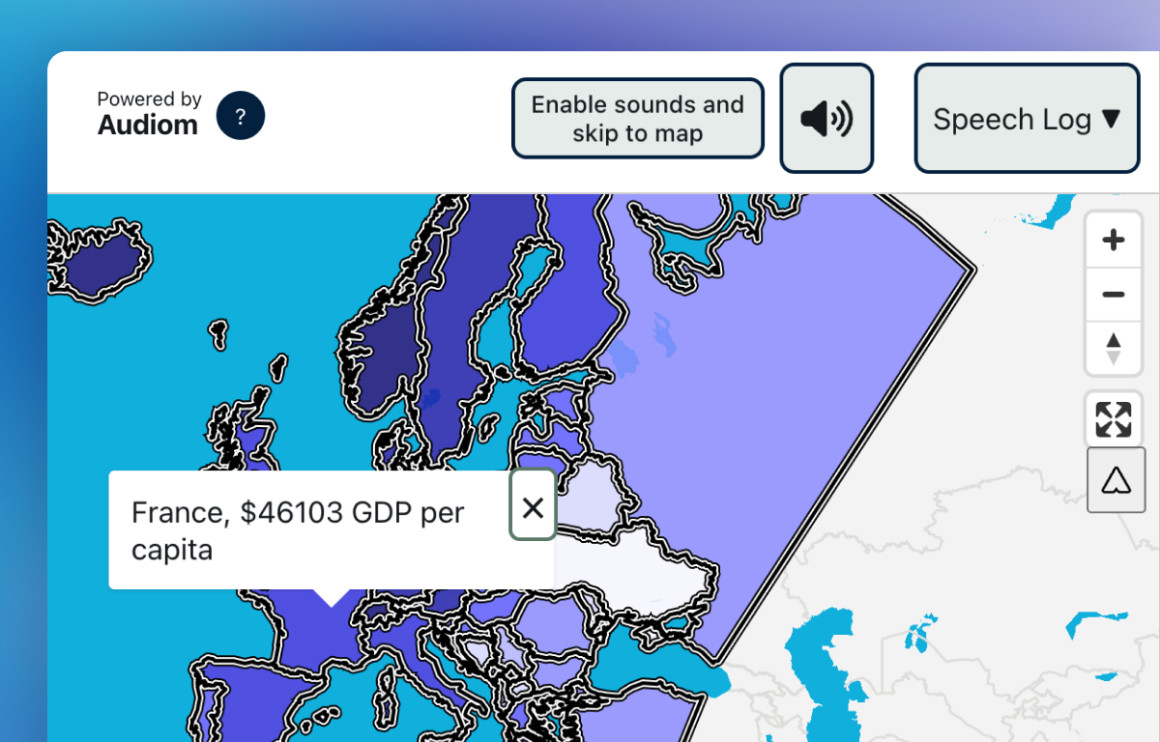
Another key trend is the increasing importance of real-time data visualization, particularly in fast-paced applications such as smart cities, autonomous vehicles, and disaster response. The ability to visualize and respond to real-time geospatial data is crucial for making quick, informed decisions in dynamic environments. Additionally, the focus on accessibility is growing, with tools like Highcharts® Maps leading the way in ensuring that geospatial visualizations are inclusive for all users, including those with disabilities. Moreover, augmented reality (AR) and virtual reality (VR) are expected to transform the way we interact with geospatial data, offering immersive experiences that enhance understanding and provide new ways to engage with complex datasets.
Geospatial data sources and integration
To effectively visualize geospatial data, you need access to reliable data sources. Some common sources of geospatial data include:
- Government agencies: Many government agencies provide geospatial data for public use. Examples include the US Geological Survey (USGS), the National Aeronautics and Space Administration (NASA), and the European Space Agency (ESA). These organizations offer a wealth of data on topics ranging from land use and environmental conditions to population demographics and infrastructure.
- Commercial providers: Companies like Esri, Mapbox, and Google offer geospatial data and services. These providers often offer more advanced features and higher resolution data. While commercial data can be more expensive, it often comes with additional support and tools that can enhance your geospatial visualizations.
- Open data initiatives: There are numerous open data initiatives that provide free access to geospatial data. Examples include OpenStreetMap, Natural Earth, and the Global Administrative Areas (GADM) database. Open data initiatives are a valuable resource for obtaining high-quality geospatial data at no cost.
Integrating data from these sources into your Highcharts® Maps visualizations can enhance the quality and richness of your maps. Combining data from multiple sources can provide a more comprehensive view of your subject, allowing for deeper analysis and more accurate visualizations.
Conclusion and additional resources
Highcharts® Maps offers a powerful solution for visualizing geospatial data, turning complex datasets into clear and interactive maps. By following best practices in data preparation and leveraging Highcharts®’ powerful features, you can create insightful visualizations that aid in decision-making across various industries. Whether you’re working in urban planning, environmental monitoring, business analytics, or public health, Highcharts® Maps provides the tools you need to make the most of your geospatial data.
- Documentation – Getting started with Highcharts® Maps
- Highcharts® Maps API Reference
- Different maps in the demo/example section
- Basic tutorial – Using Highcharts® Maps® for Python
- Highcharts® Maps for Python
- Small multiples map with Highcharts and React
Related posts
- Heat map examples using Highcharts
- Choropleth map examples using Highcharts
- Maps with latitude & longitude using Highcharts
- Lightning map – create your own using Highcharts
- Polygon chart using Highcharts
- Graphing in JavaScript with Highcharts








Leave a Reply