

Form builders are invaluable tools for businesses, educators, and individuals looking to streamline data collection and optimize workflows. Whether for feedback surveys, event registrations, or other purposes, the right form builder can significantly improve gathering and managing data. These platforms offer customizable options, seamless integrations, and advanced features designed to help you achieve your goals more efficiently, saving time and effort.
Choosing the perfect form builder can feel daunting, given the many options available. Each platform offers unique benefits, such as pre-designed templates, analytics capabilities, and integration options, ensuring that your forms are professional, user-friendly, and effective. To simplify your decision, this guide highlights over ten outstanding form builders known for their versatility and powerful features, helping you find the perfect solution for your needs.
Reasons to use an online form builder tool
Online form builders offer a range of advantages for businesses, organizations, and individuals by simplifying the creation process and enhancing efficiency. With intuitive interfaces, customizable templates, and automated tools, these platforms save time and effort while delivering secure and accessible data collection solutions. These tools make gathering and managing data easier while improving workflows and delivering high-quality results.
- Time-saving and easy to use: Drag-and-drop functionality, pre-built templates, and flexible customization options make creating forms quick and hassle-free, allowing you to focus on other priorities.
- Professional design: Built-in design tools and templates enable you to craft polished, professional-looking forms that enhance your brand’s credibility and trustworthiness.
- Streamlined data collection and analysis: Responses are automatically stored and organized, eliminating manual data entry. This simplifies data analysis, helping you uncover trends and insights with ease.
- Accessibility and convenience: Online forms are optimized for all devices, including smartphones and tablets, allowing users to complete them anytime, anywhere. This improves engagement and increases completion rates.
- Custom features and flexibility: Advanced options like conditional logic, branded designs, and customizable fields allow you to create forms tailored to your specific needs.
- Automation and integrations: Seamlessly integrate with CRM tools, email marketing platforms, or payment processors to automate tasks like sending follow-up emails, processing payments, and organizing data.
- Security and compliance: Reliable form builders implement strong security measures and adhere to regulations like GDPR and HIPAA, ensuring sensitive data is protected.
- Cost-effective: With affordable or free plans packed with powerful features, online form builders provide a budget-friendly alternative to developing custom forms from scratch.
10 Best form builder tools to collect data
Selecting the right form builder requires understanding your business needs and accessibility preferences, as each tool offers unique features to address specific goals. From streamlining workflows to simplifying data collection, the best form builders provide customizable templates, seamless integrations, and advanced options like automation and analytics. To help you choose, here’s a list of over 10 top form builder tools designed to enhance efficiency and deliver professional, user-friendly results.
1. forms.app

forms.app is a user-friendly online form builder designed to streamline the form creation process for businesses and individuals. With a simple drag-and-drop interface, users can easily create custom forms without any coding skills. Offering a generous lifetime free plan and excellent value for money, forms.app is perfect for building surveys, quizzes, feedback forms, and more. It also provides robust integrations and analytics for data-driven decision-making.
Key features:
- Customizable templates: Access a wide range of templates tailored to various industries and form types for quick, professional results.
- Conditional logic and branching: Design interactive forms that adapt based on user input, creating a personalized and engaging experience.
- Advanced integrations: Connect seamlessly with platforms like Google Sheets and Zapier to automate workflows and manage data efficiently.
- Mobile optimization: Ensure a smooth experience for both form creators and respondents across all devices.
- Data analytics and insights: Use built-in analytics tools to track submissions and gain valuable insights directly from the platform.
Pricing:
- Free Plan: ✅
- Basic plan: $25/month (billed monthly)
- Pro plan: $35/month (billed monthly)
- Premium plan: $99/month (billed monthly)
2. 123FormBuilder

123FormBuilder provides a versatile and customizable form-building experience, ideal for businesses across industries such as healthcare, education, and e-commerce. With a user-friendly design, hundreds of templates, and seamless integrations, it stands out as a flexible solution for creating various form types.
Key Features:
- Extensive customization: Create forms with advanced design tools and layouts to match your brand.
- Template variety: Choose from hundreds of industry-specific templates for quick and professional results.
- Versatile form types: Design surveys, quizzes, registration forms, order forms, and more.
- Smooth integrations: Connect with tools like Salesforce, Mailchimp, Google Sheets, and PayPal to streamline workflows.
- No-code builder: Simple drag-and-drop interface, perfect for users without technical skills.
Pricing:
- Free plan: ✅
- Gold: $37/month (billed monthly)
- Platinum: $49/month (billed monthly)
- Diamond: $99/month (billed monthly)
- Enterprise: $225/month (billed monthly)
3. Typeform
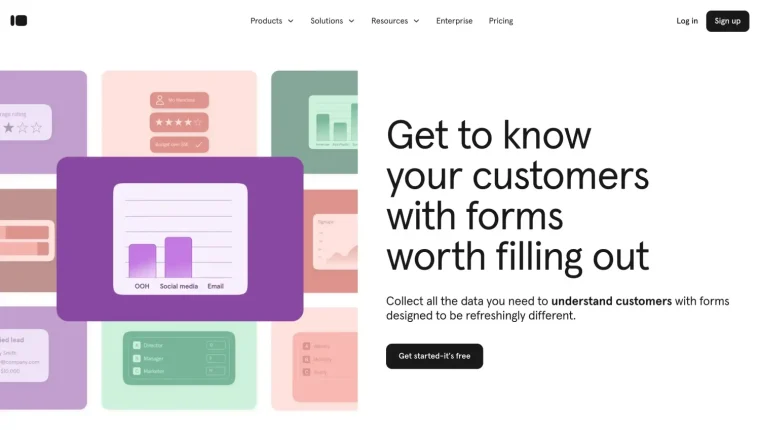
Typeform is an intuitive online form builder renowned for its interactive and engaging design. Its conversational-style interface creates a dialogue-like experience, making it easier for respondents to complete forms. While on the pricier side, Typeform is perfect for surveys, quizzes, lead generation, and more, offering extensive customization and a focus on user engagement.
Key features:
- Conversational Interface: Engage users with forms that feel like natural conversations, boosting completion rates.
- Customizable Design: Personalize forms with adjustable fonts, colors, and branding to align with your style.
- Dynamic Logic and Branching: Use conditional logic to tailor questions based on user responses, creating a personalized experience.
- App Integrations: Connect with tools like Google Sheets, Zapier, and Slack for efficient workflows and real-time data syncing.
- Analytics and Reporting: Track responses and gain insights with built-in analytics tools.
Pricing:
- Free plan: ✅
- Basic: $29/month (billed monthly)
- Plus: $59/month (billed monthly)
- Business: $99/month (billed monthly)
- Enterprise: Custom pricing
4. Jotform

Jotform is a well-known form builder offering robust features and a user-friendly drag-and-drop interface. It supports a variety of form types, from basic surveys to complex data collection tools. While its advanced plans are pricier, Jotform’s design flexibility and automation features make it a valuable option for businesses seeking to streamline operations.
Key features:
- Vast template library: Access over 10,000 templates for various industries and purposes, from feedback forms to lead generation, all easily customizable.
- Conditional logic: Create smart forms that adapt based on user input, perfect for complex or specialized data collection.
- Payment processing integration: Supports over 30 payment processors, including PayPal, Stripe, and Square, enabling secure in-form transactions for e-commerce and more.
- Data security and HIPAA compliance: Offers HIPAA-compliant options and advanced security features, ideal for businesses handling sensitive information like healthcare providers.
- Intuitive drag-and-drop builder: Simplifies form creation with easy customization, making it accessible for users without coding expertise.
Pricing:
- Free plan: ✅
- Bronze: $39/month (billed monthly)
- Silver: $49/month (billed monthly)
- Gold: $59/month (billed monthly)
- Enterprise: Custom pricing
5. Tally Forms

Tally Forms is a free, straightforward form builder ideal for users seeking simple, hassle-free form creation. With a minimalist design and an emphasis on ease of use, it’s perfect for personal projects or small businesses that require basic functionality. Tally offers unlimited forms and responses even on its free plan, making it a standout choice for users with high submission needs, while its integrations and customization options add to its versatility.
Key features:
- No-code interface: Tally Forms is designed for simplicity, allowing users to create forms without any coding experience.
- Unlimited forms and responses: The free plan offers unlimited forms and submissions, making it ideal for those with high-volume needs.
- Customizable design: Users can personalize forms with basic design options such as colors and fonts to match their preferences.
- Embeddable forms: Easily embed forms on websites or blogs, or share them via a direct link.
- Google sheets integration: Automatically collect and organize form responses in Google Sheets for easy data management.
Pricing:
- Free plan: ✅
- Pro plan: $29/month (billed monthly)
- Business plan: $89/month (billed monthly)
6. SurveyMonkey
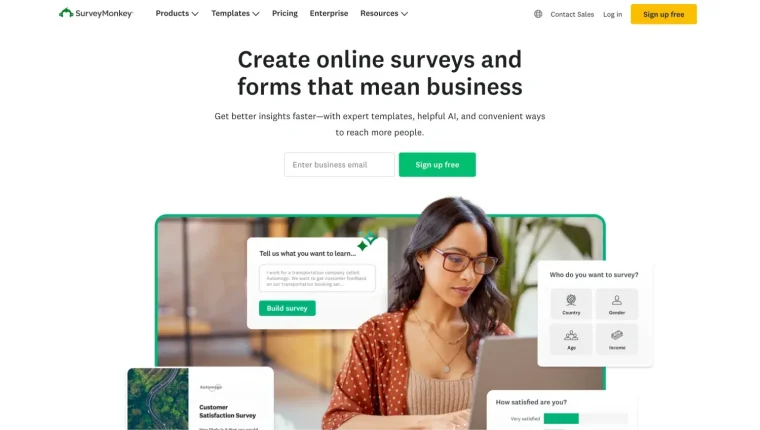
SurveyMonkey is a widely used survey tool that helps businesses and organizations collect feedback, conduct market research, and assess employee satisfaction. Known for its strong analytics and user-friendly interface, SurveyMonkey is a top choice for those seeking valuable insights from their audiences.
Key features:
- Pre-built survey templates: A comprehensive library of templates for various industries and purposes, allowing for quick survey creation.
- Variety of question types and customization: Offers a wide range of question formats, including multiple-choice, text responses, and rating scales, with customization options to match your branding.
- Powerful analytics and reporting: Advanced tools to track responses, analyze trends, and generate detailed reports, with the ability to segment data for deeper insights.
- App integrations: Seamlessly integrates with popular tools like Salesforce, Google Sheets, and Mailchimp, enhancing workflow efficiency.
- Survey logic: Features like branching and skip logic ensure respondents only see relevant questions based on their previous answers.
Pricing:
- Free plan✅
Team Plans
- Team advantage: $25/user per month (Billed annually only)
- Team premier: $75/user per month (Billed annually only)
Individual Plans
- Standard monthly: $99 per month
- Advantage annual: $39 per month (Billed annually only)
- Premier annual: $119 per month (Billed annually only)
- Enterprise: Custom pricing
7. Formstack

Formstack is a powerful form-building tool designed for professional workflows, offering advanced features such as e-signatures, workflow automation, and HIPAA compliance. While it is a comprehensive solution for businesses with complex needs, it may be less affordable for smaller teams. Formstack is ideal for those requiring high-level data security and integration with other business systems.
Key features:
- Workflow automation: Streamlines tasks to enhance efficiency and productivity.
- Data security: Compliant with HIPAA and GDPR, making it suitable for industries handling sensitive data.
- API access: Allows deep integration with other business systems for a seamless experience.
Pricing:
- Forms: $99/month
- Suite: $299/month
- Enterprise: Custom pricing
8. Google Forms
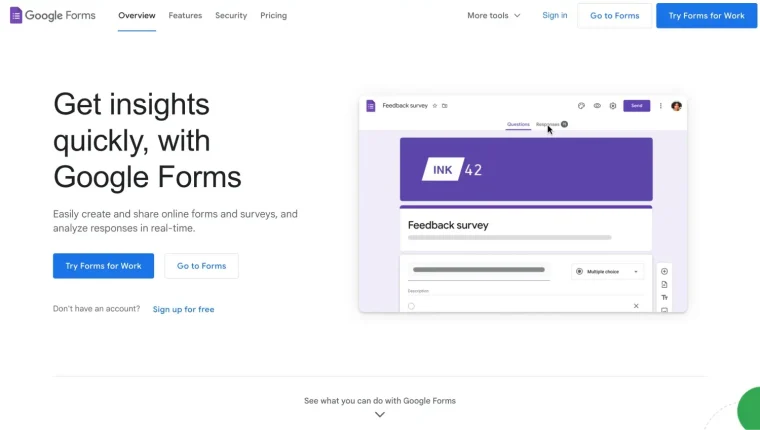
Google Forms is a straightforward and free tool perfect for creating basic surveys and quizzes. It integrates seamlessly with Google Workspace, including Google Sheets, Google Calendar, Google Docs, and Google Drive, making it an excellent choice for quick data collection and analysis. However, it lacks advanced analytics and branding customization, making it best suited for simple use cases.
Key features:
- User-friendly interface: Simple, intuitive design, ideal for beginners.
- Real-time collaboration: Multiple users can work on forms at the same time.
- Google Workspace integration: Easily organize and manage data within the Google ecosystem.
Pricing:
Free Plan ✅
Premium features: Available through Google Workspace plans, starting at $6 monthly for the Business Starter plan.
9. Paperform
Paperform is a flexible online form builder known for its ease of use and versatility. It enables users to create forms that resemble landing pages, making it ideal for various purposes, such as surveys, event registrations, payment forms, and more. With extensive customization options and integrations, Paperform is well-suited for businesses aiming to optimize data collection and automate processes.
Key features:
- Customizable form designs: Create visually appealing forms with full control over branding, layout, and design elements.
- Payment integration: Supports multiple payment gateways, such as PayPal, Stripe, and Square, perfect for businesses needing secure online transactions.
- Advanced logic and conditional questions: Design dynamic forms that adjust based on user input, ensuring a tailored experience.
- App integrations: Easily connect with tools like Google Sheets, Zapier, and CRM systems to streamline workflows and data management.
- Analytics and reporting: Built-in analytics tools to track responses, analyze trends, and generate reports from form data.
Pricing:
- Free plan ❌ (14-day free trial)
- Essentials: $29 per month (when paid monthly)
- Pro: $59 per month (when paid monthly)
- Business: $129 per month (when paid monthly)
- Enterprise: Custom pricing
10. Fillout

Fillout is a user-friendly form builder designed to help users quickly create professional forms for various purposes. Its straightforward interface makes it perfect for building surveys, lead generation forms, and event registrations, with an emphasis on speed and ease of use.
Key features:
- Customizable templates: Fillout offers a variety of pre-designed templates to help users create forms for specific needs, such as surveys, feedback forms, and quizzes.
- Conditional logic and branching: Create dynamic, interactive forms that change based on user input, offering a personalized experience.
- Data export options: Easily export form responses to CSV and other formats for data analysis and manipulation.
- Multi-device support: Forms are fully responsive and work seamlessly across all devices.
- Integrations with Google Sheets and Zapier: Simplify data collection with Google Sheets integration, and connect to hundreds of third-party apps via Zapier.
Pricing:
- Free plan: ✅
- Starter: $19/month (billed monthly)
- Professional: $49/month (billed monthly)
- Business: $89/month (billed monthly)
Final words
In conclusion, selecting the best form builder depends on your unique needs, whether you prioritize simplicity, advanced features, or integrations with other systems. Assess your requirements thoroughly to choose the tool that best suits your business.
Investing in the right form builder can streamline processes, improve data collection, and enhance user experiences. These tools provide flexibility and powerful features that can help your business thrive. Take time to evaluate the options and select the platform that aligns with your objectives and budget.
Related posts
- JavaScript chart examples using Highcharts
- Polygon chart using Highcharts
- Customizing Highcharts for your brand’s aesthetic
- Stock chart examples using Highcharts Stock
- Big data visualization using Highcharts









Leave a Reply