
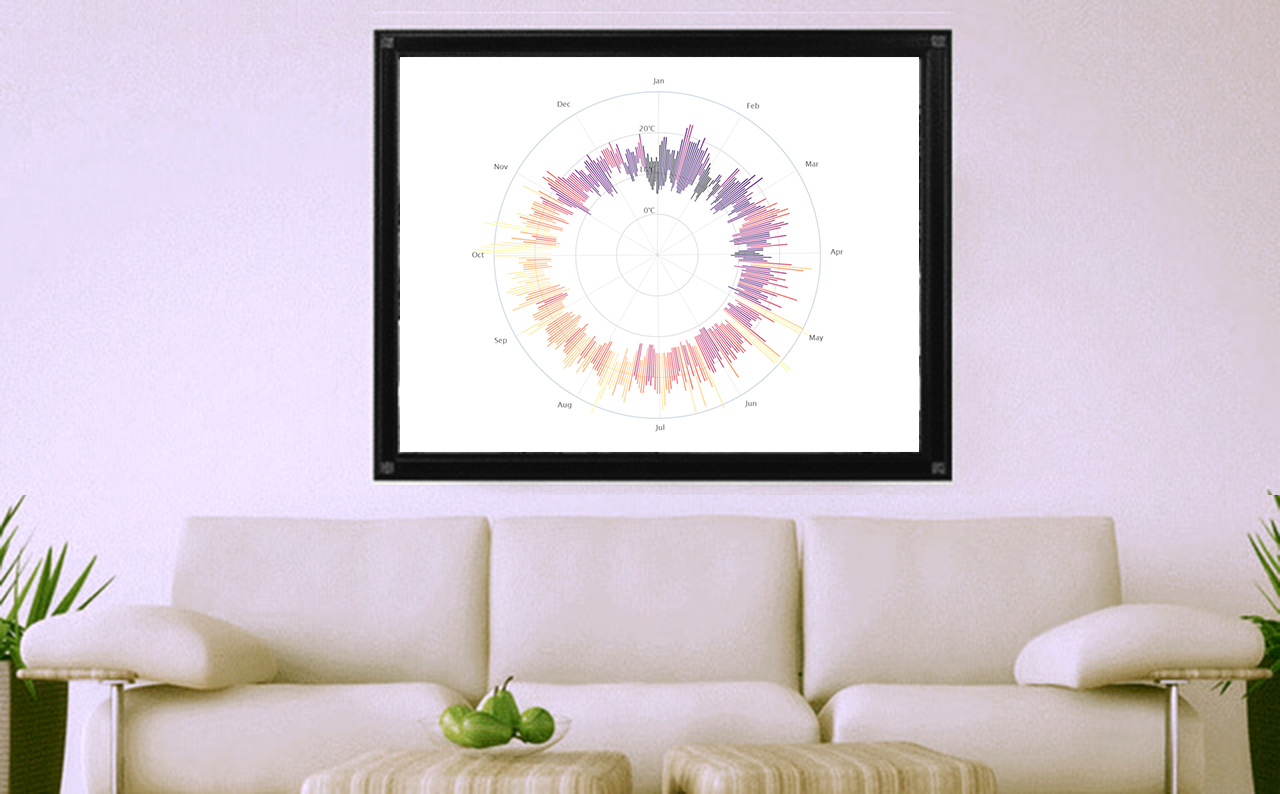
I was surfing by the deep seas of the web when I found Brice Pierre de la Briere’s blocks and I saw his beautiful weather radials, originally a poster collection.
If you have used Highcharts before, you might be thinking to yourself: “I wish I could create something like this, but I don’t remember seeing radial plots like these as a chart option.”
Well, then it may be time to play around with your chart configuration! Are you ready?
STEP1
For this project we’ll use the daily temperature from San Francisco in 2004 as our data. As a first step we’ll check the data integrity and chart it in the most simple way: A timeline
Everything seems right. The seasonal variations in temperatures are easy to read, but not exactly something you’d frame as a work of art.
STEP 2
Next we transform our timeline chart in a column range chart. This chart type allows us to display the range between the minimum and maximum temperatures.
STEP 3
Next, we’ll add a color to the range according the daily mean temperatures. The final touch will be the most important and simple step. Change the coordinate to polar. Cross our fingers and see the result…
Look: A very artistic, beautiful chart. Now, that you can frame!
As we see Highcharts is really flexible and allows chart the data in various, and sometimes unexpected, ways.
Do you have any examples of using Highcharts to create works of art? Share below!






Leave a Reply